Team Viewer 6
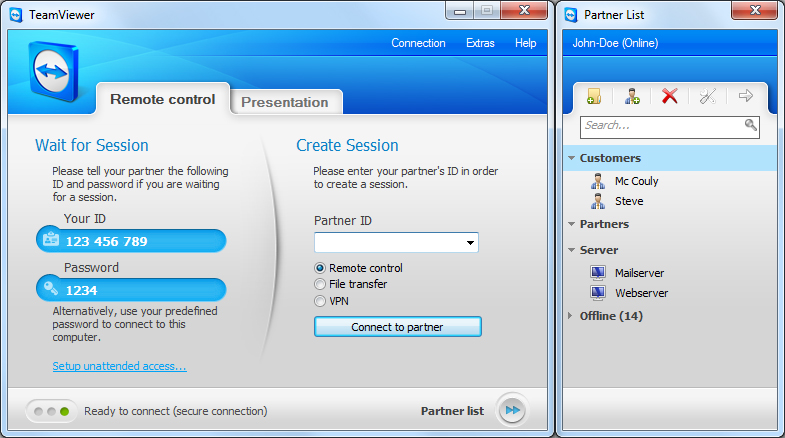
Team Viewer 6 | 4MB

| Quote: |
 TeamViewer 6.0 allows you to connect to the desktop of a partner anywhere on the Internet. TeamViewer also works in the other direction: Show your own desktop to a partner over the Internet and demonstrate your own software, solutions and presentations. With TeamViewer you can remotely control any PC anywhere on the Internet. No installation is required, just run the application on both sides and connect. TeamViewer 6.0 allows you to connect to the desktop of a partner anywhere on the Internet. TeamViewer also works in the other direction: Show your own desktop to a partner over the Internet and demonstrate your own software, solutions and presentations. With TeamViewer you can remotely control any PC anywhere on the Internet. No installation is required, just run the application on both sides and connect.Features One solution for everything Remote administration of unattended servers File transfer Highest security standard Online status display Remote support without installation Remote presentation of products, solutions and services Works behind firewalls Browser based access Very competitively priced, free versions available Optimized Performance Evaluation Benchmark |
Guide for unlimited use
| Quote: |
| IF YOU MAKE A WRONG INSTALL AND YOU CHOOSE COMPANY USE or IF YOU GET BLACKLISTED YOU CAN TRY THIS METHOD AND IT WORKS 100% 1. First close teamviewer, if it is running (u must close 2 running applications from task manager. hit ctrl+alt+del and close "teamviewer.exe" & "teamviewer_servise.exe" 2. Click on start -> Run -> type %appdata% -> delete TeamViewer folder 3. Delete registry folder: HKEY_LOCAL_MACHINE/SOFTWARE/TEAMVIEWER & also delete HKEY_CURRENT_USER/SOFTWARE/TEAMVIEWER (to access the registry go to Start->Run and type regedit and click ok) 4. Delete TeamViewer folder from Program Files 5. Change Mac Adress by right click on MyComputer -> Manage -> Device Manager -> Network Adappters -> Right click on your NIC, Choose Properties -> Advanced -> Click choose "Network Address" -> Type 12digit in Value box (Eg:001A3F25454S) -> OK -> Disable and Enable your NIC in Network Connections. Now your MAC was changed. 6. Re setup TeamViewer and Enjoy it now. |


| Code: |
| Click For Download |


0 comments:
Post a Comment