You want to secure your Google Chrome OR Firefox Browser
For Google Chrome
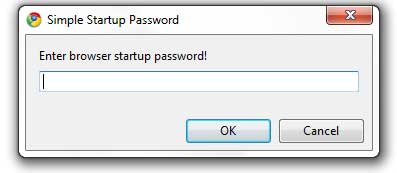
Simple Startup Password is an addon for Google Chrome
browser that blocks unauthorized people from using your browser.
Just go to the extensions gallery of Google Chrome and install the
Simple Startup Password add-on for your browser.
After installing the add-on go to Settings -> Tools ->Extensions.
There look for Simple Startup Password and click on Options.
Set a password for your browser and done. Now every time you start your Google Chrome
browser it will ask you for the password and if you fail to give the correct
password your browser will be closed.
You can get this add on from Google Chrome’s extensions gallery.
Link :
■■■■■□□□□□■■■■■□□□□□■■■■■□□□□□■■■■■□□□□□■■■■■□□□□□ ■■■■■□□□□□■■■■■□□□□□■■■■■□□□□□
For Mozilla Firefox
1. Download Attachment
2. Rename file and remove .zip from name
3. Open file from firefox browser to install
4. Once you have installed the add-on, setup the passwords from the add-on options, the next time you start Firefox, you will be prompted to enter your profile password, before you can start using the browser.
In case you forget your password there is no option to recover it.
You will have to reinstall the browser.
Simple Startup Password is an addon for Google Chrome
browser that blocks unauthorized people from using your browser.
Just go to the extensions gallery of Google Chrome and install the
Simple Startup Password add-on for your browser.
After installing the add-on go to Settings -> Tools ->Extensions.
There look for Simple Startup Password and click on Options.
Set a password for your browser and done. Now every time you start your Google Chrome
browser it will ask you for the password and if you fail to give the correct
password your browser will be closed.
You can get this add on from Google Chrome’s extensions gallery.
Link :
Code: [Select] [nofollow]
https://chrome.google.com/webstore/detail/ojoalkffommhmdmbohjphohoejjmgepc■■■■■□□□□□■■■■■□□□□□■■■■■□□□□□■■■■■□□□□□■■■■■□□□□□ ■■■■■□□□□□■■■■■□□□□□■■■■■□□□□□
For Mozilla Firefox
1. Download Attachment
2. Rename file and remove .zip from name
3. Open file from firefox browser to install
4. Once you have installed the add-on, setup the passwords from the add-on options, the next time you start Firefox, you will be prompted to enter your profile password, before you can start using the browser.
In case you forget your password there is no option to recover it.
You will have to reinstall the browser.
 profilepass-FF-RDF-0.3.18.xpi.zip


0 comments:
Post a Comment